How to Play Retro DOS Games on Modern PCs
For many of us, DOS games are not just a nostalgic trip down memory lane—they’re a part of gaming history. From the narrative depth of adventure games to the pixelated charm of early shooters, these titles hold a special place in the hearts of gamers. However, playing these classics on modern hardware can seem daunting. Fear not! With the right tools and a bit of guidance, you can enjoy these timeless games once again.
DOS Emulators: Your Gateway to Retro Gaming
At the heart of playing DOS games on modern PCs are emulators—software that replicates the functionality of older computer systems. These emulators allow your current hardware to run software that was originally designed for different architectures. DOSBox is the most popular and user-friendly of these emulators, offering robust support for a wide range of DOS games. By mimicking the MS-DOS environment, DOSBox lets you take a nostalgic journey back to the games of the late 80s and 90s, without needing an ancient PC.
Step-by-Step DOSBox Setup for Seamless Gameplay
Setting up DOSBox is straightforward. Start by downloading it from the official website and completing the installation process. Once installed, you’ll need to mount a directory in DOSBox that acts as the C: drive. This is where your DOS games will reside. Open DOSBox and type: mount c c:dosgames, replacing c:dosgames with your chosen directory path. To launch a game, navigate to its location using DOS commands, and execute the game file by typing its name.
Fixing Compatibility Issues: Tips and Tricks
While DOSBox is a powerful tool, you might encounter hiccups when running certain games. Sound issues are common, often resolved by tweaking the DOSBox configuration file’s settings related to CPU cycles or sound emulation. Additionally, some games might need specific command-line arguments or require additional software like ScummVM for optimal performance. Online forums and communities are invaluable resources for troubleshooting these issues.
Must-Try DOS Games for Your Retro Collection
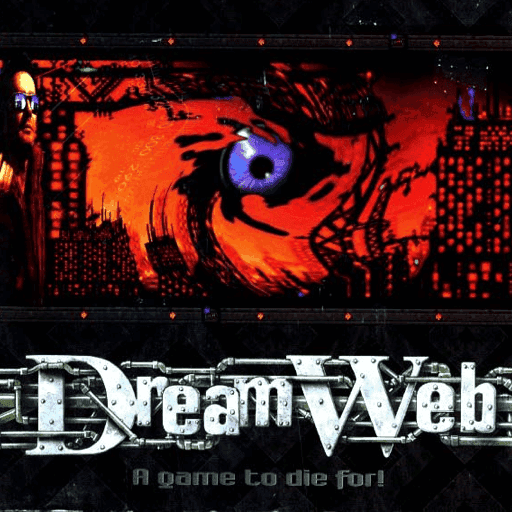
Now that you’re equipped with a working DOSBox setup, it’s time to explore some iconic games. DreamWeb, developed by Creative Reality in 1994, offers a gripping cyberpunk adventure. As Ryan, players navigate a world filled with puzzles and intrigue to thwart a looming catastrophe. If jungle escapades are more your style, Flight of an Amazon Queen lets you unravel a thrilling quest in the Amazon. Set in 1995, this game is a testament to the rich storytelling of Interactive Binary Illusions.
Playing retro DOS games on modern PCs is more than a nostalgic pursuit; it’s a way to preserve and appreciate the early days of gaming. With emulators like DOSBox, you can easily dive into these classic worlds, overcoming compatibility challenges along the way. Whether you’re revisiting old favorites or discovering new ones, the magic of DOS gaming remains as captivating as ever.
Related articles

Mastering Space Quest V: A Beginner’s Guide
Navigate the humor and challenges of Space Quest V with this practical guide for new players.
Emulating the Classics: A Guide to Playing DOS Games Today
Learn how to play classic DOS games on modern systems with this step-by-step guide on emulation using DOSBox and browser-based tools.